Dedicated Ads Section
I gave advertisements their own space so they no longer competed with core content.
A complete UX and UI redesign of the PGK Media mobile app, focused on improving navigation, content discovery, and the overall media experience.
PGK Media App Redesign
The app brings together live radio, TV, videos, podcasts, games, and other media content.
I led the redesign as the sole Product Designer, working with a Product Manager and Full Stack Developer to rethink the product structure, user experience, and visual system.
The existing app had usability issues that made key features easy to miss and created a poor overall experience. I redesigned the app to make content easier to find, navigation clearer, and the main media
Old App Review
Before redesigning the app, I reviewed the existing experience to understand where users were struggling and which parts of the product needed the most attention.
The review covered the Home, Categories, Priority TV, Radio Player, and Navigation experiences.
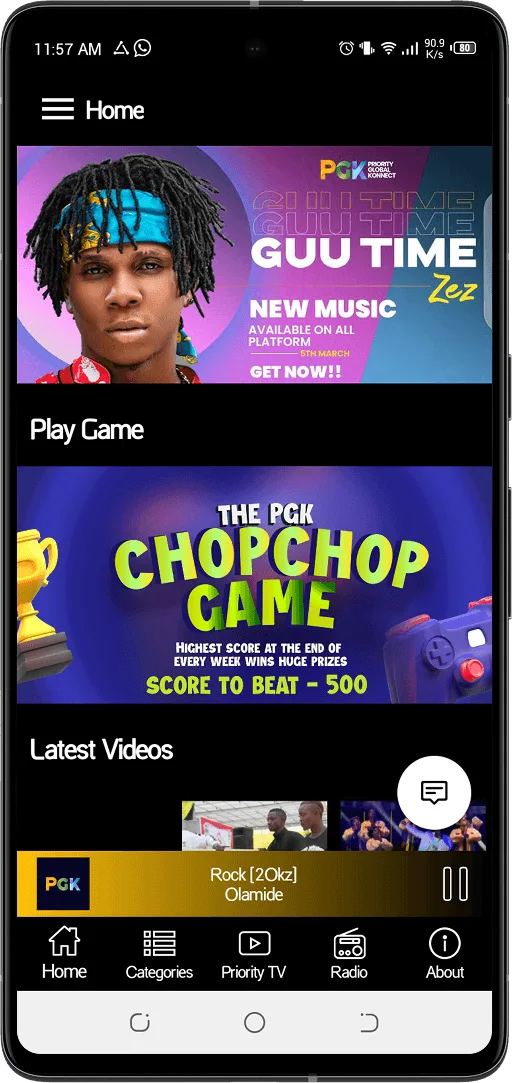
The homepage had several content and hierarchy issues. Important features competed for attention, while some elements looked like promotional content.
Key design decisionI reworked the homepage hierarchy so key content could stand out without competing with each other.
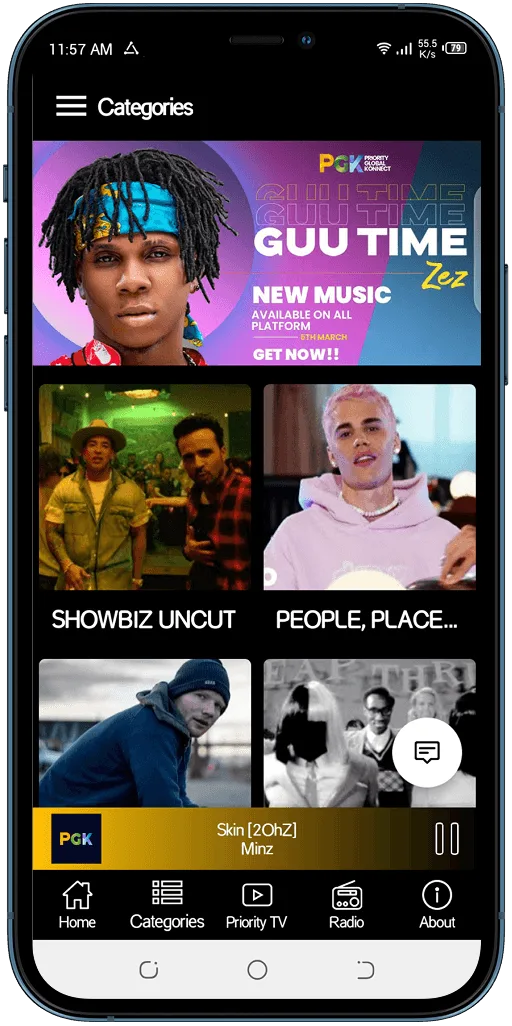
The Categories page did not make its purpose clear enough, which made it harder for users to understand how to browse the available content.
Key design decisionI redesigned the page structure to make categories easier to understand and navigate.
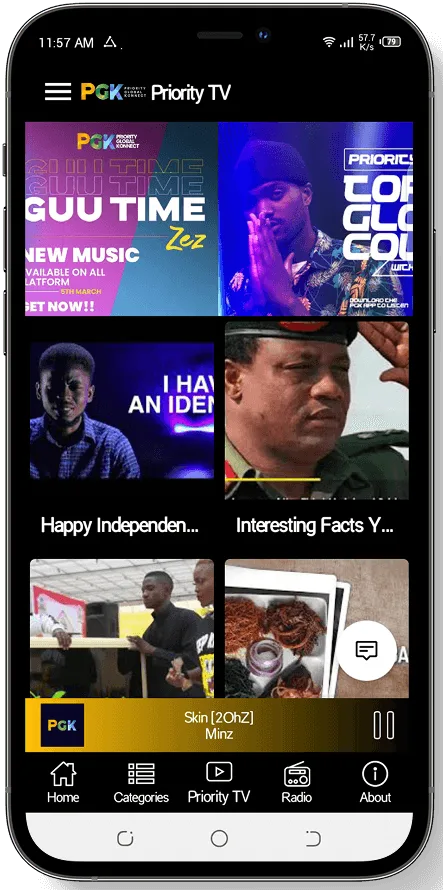
The Priority TV section had several issues that made browsing and watching videos less efficient.
Key design decisionI redesigned the content layout and viewing flow to keep video discovery closer to the content users wanted to watch.
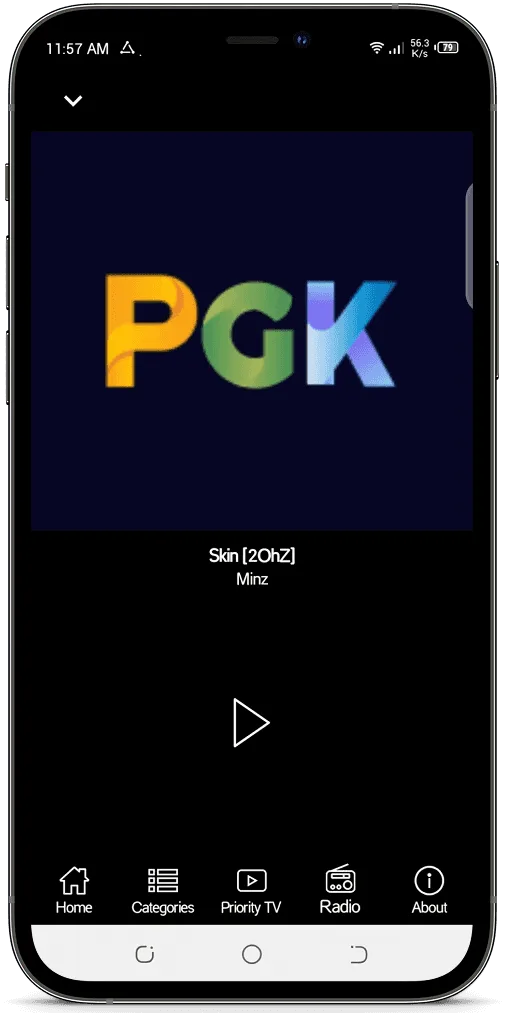
The existing radio player relied heavily on dark colours and gave little visual feedback about the current listening experience.
Key design decisionI introduced stronger colour, clearer show information, and a more focused player layout.
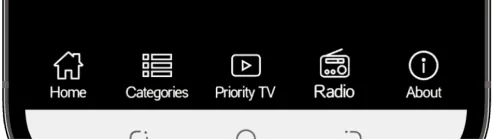
The old navigation did not give enough visual emphasis to the user's current location.
Key design decisionI redesigned the navigation to give each main section a clearer visual identity and make the active section easier to recognise.
Approach & Process
I focused on making the app easier to navigate, improving content discovery, and creating clearer experiences for radio, TV, videos, podcasts, and games.
I worked closely with the Product Manager and Full Stack Developer throughout the process, from defining the new structure to reviewing the built product.
Identify usability, navigation, and content discovery issues.
Rework the information architecture and navigation around the main content types.
Define clearer paths for listening, watching, discovering, and interacting with content.
Create the new UI, interactions, and system states across about 50 screens.
Observe multiple people using the redesigned app and use their feedback to refine the experience.
Work with the developer through handoff and implementation to bring the redesign to the live product.
Redesigning the Entire User Experience
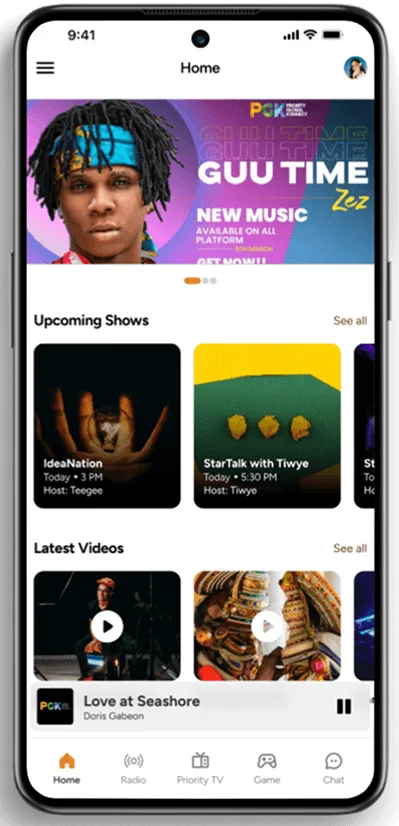
The homepage needed to help users discover what PGK offers without making the interface feel crowded. I reworked the structure to give more space to the content users were most likely to seek, while keeping the page easy to scan.
The new structure brings Upcoming Shows, Latest Videos, Podcasts, and other content into clearer sections, with stronger hierarchy between them.
 BeforeAfter
I gave advertisements their own space so they no longer competed with core content.
Added a clear schedule showing upcoming Priority Radio shows, hosts, and times.
I gave video and podcast content clearer sections within the homepage structure.
I redesigned the existing radio control bar with a cleaner, more modern visual treatment and clearer show information.
The old navigation did not give enough emphasis to the active section, which could make it harder for users to know where they were in the app.
I redesigned the navigation around the app's main content areas, giving each section a clearer place and stronger visual distinction.
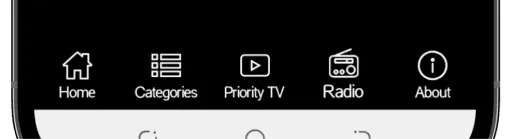
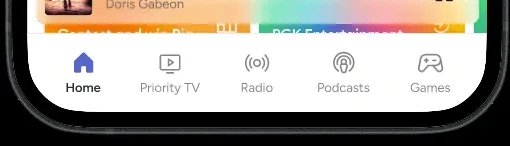
I organised the navigation around the app's main content areas.
I gave the selected page stronger visual emphasis.
Radio, Podcasts, Games, and Priority TV now have clear paths from the main navigation.
Key design decisionI treated navigation as part of the content structure, not just a way to move between screens.
The old Priority TV experience made video discovery harder. Users had to open a separate page to watch each video, while the layout made it harder to browse several videos at once.
I redesigned the experience to make browsing faster and give users more ways to explore PGK's video content.
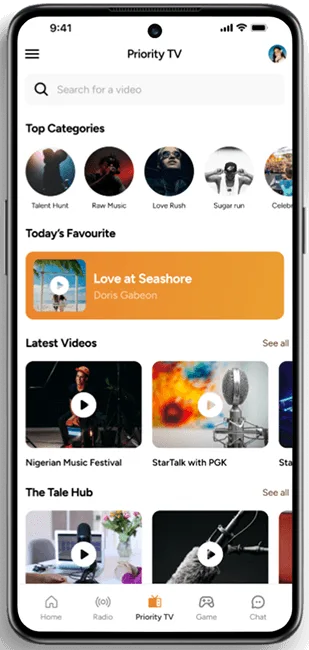 BeforeAfter
I changed the layout to show more videos at once and make browsing easier.
I added clearer ways to browse videos based on their content.
I included video podcast episodes as part of the wider video experience.
I redesigned the viewing flow to reduce the extra steps needed to watch content.
Key design decisionI moved the experience from simply listing videos to helping users browse, choose, and watch content more easily.
The old radio experience relied heavily on a dark visual treatment and gave limited information about what was playing or what was coming next.
I redesigned the radio experience to make the current show more visible and help users see the day's schedule.
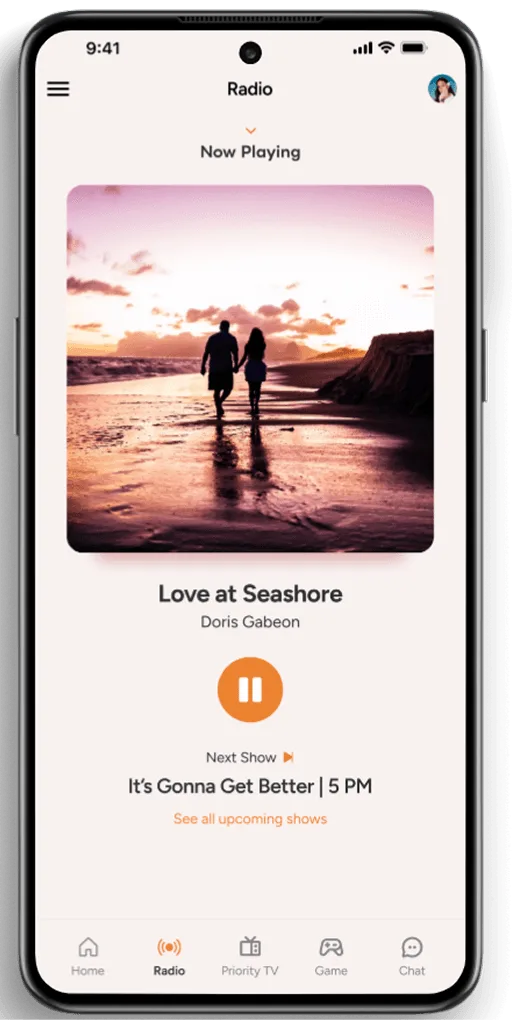 BeforeAfter
I made the current show and host more prominent.
I added a cover image for the show currently playing.
Users can see the next shows and their start times without leaving the radio page.
I introduced more colour and a cleaner layout to make the player more engaging.
Key design decisionI designed the radio page around what is playing now and what comes next, so users can listen while also planning what they want to hear.
Adding New Features
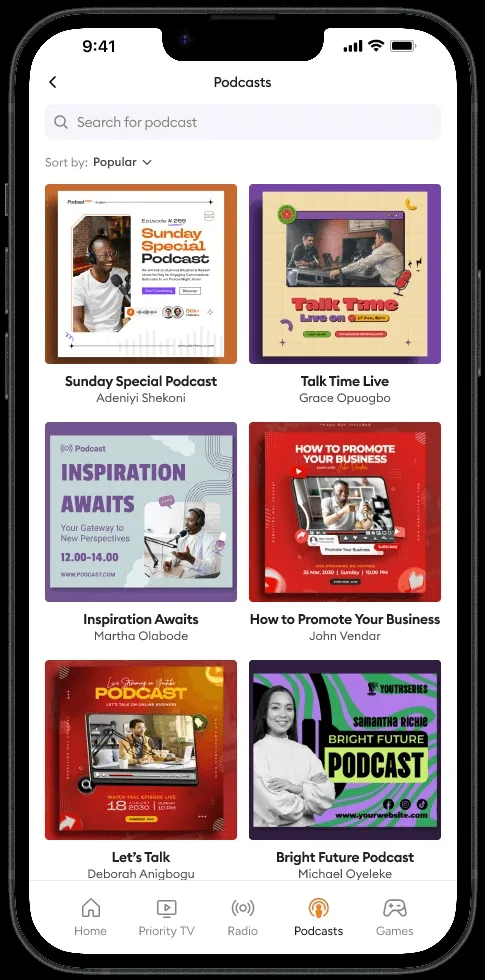
Added on-demand audio so users could discover and listen to podcast episodes.
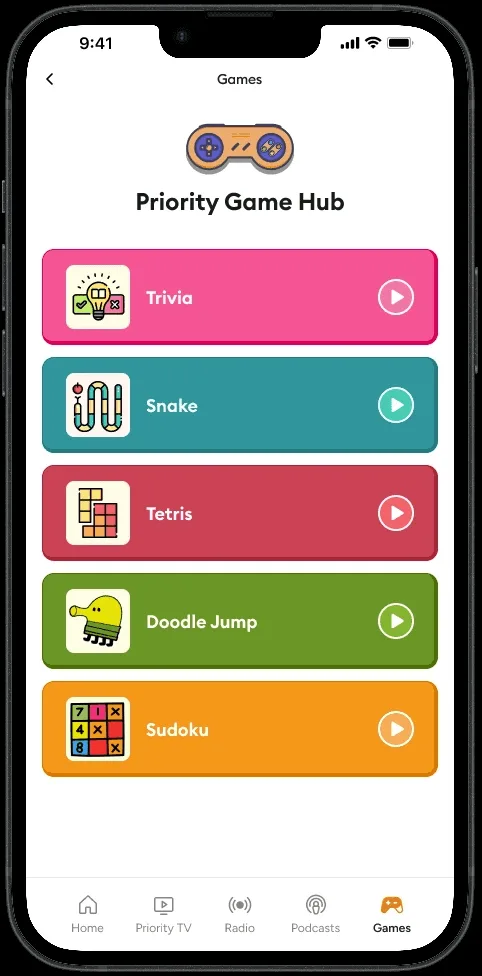
Added a dedicated games experience for trivia and other games.
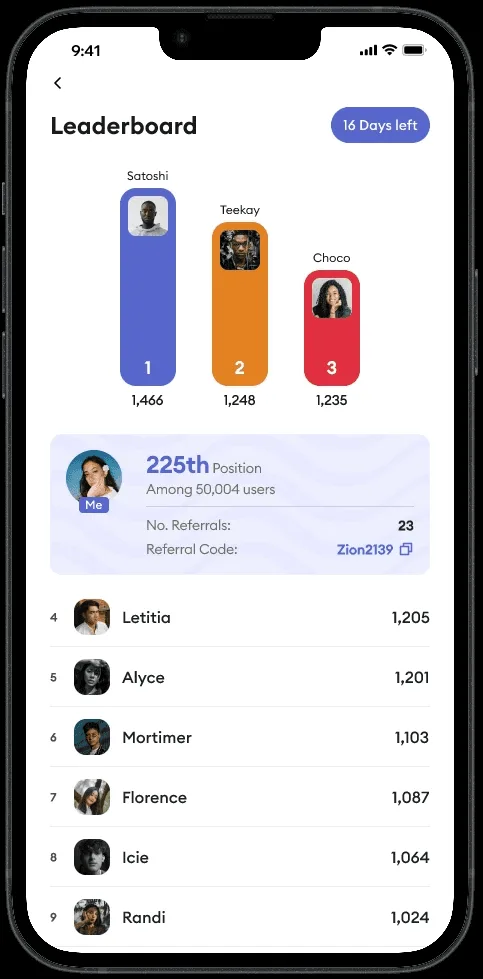
Added a referral system that lets users track referrals and compete for higher positions.
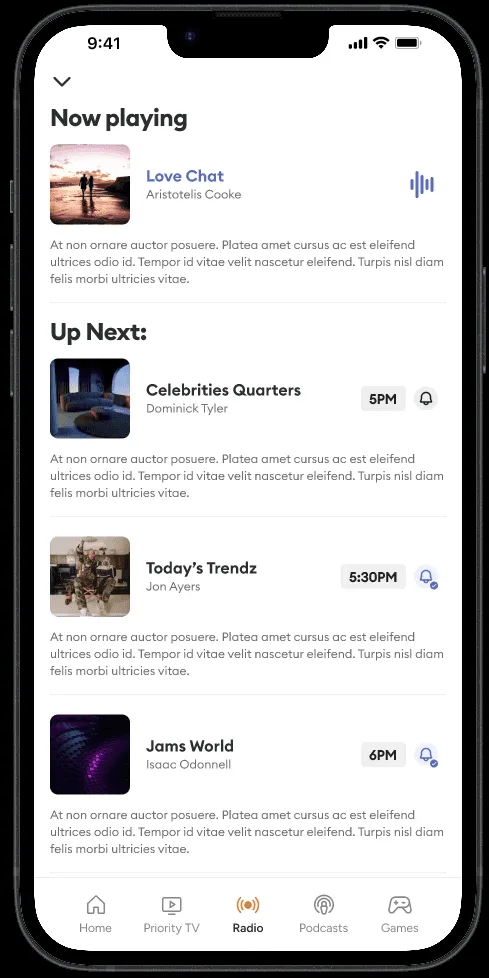
Added the option to set reminders for specific shows, helping users keep track of programmes they want to listen to.
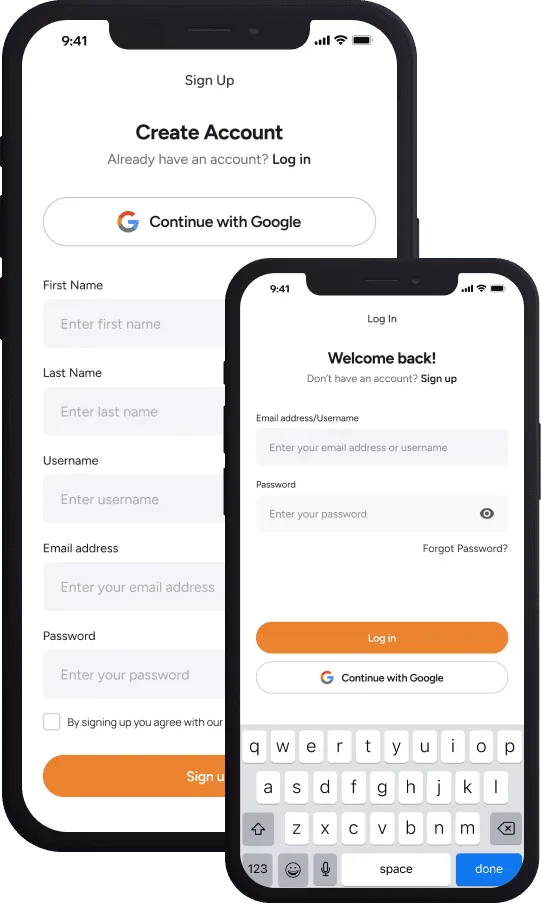
Added sign-up and login so users could access personalised services.
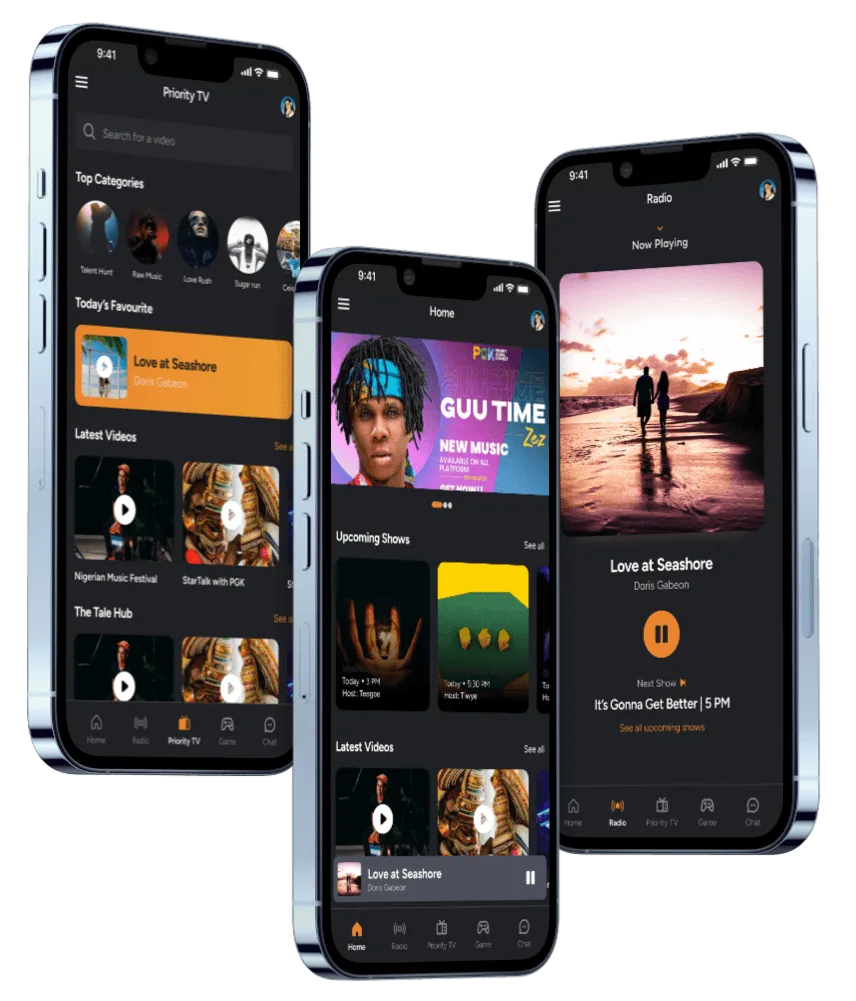
Added dark mode as an alternative viewing option.
Key design decisionI added features that could give users more ways to interact with PGK and more reasons to return to the app.
Validating the Redesign
I observed how they moved through the app and used this feedback to refine the experience before launch.
Users were able to find the main content areas more easily.
The new navigation made it clearer where each part of the app was located.
Users understood the purpose of the main features more clearly.
The testing helped confirm the new structure and showed where the experience was clearer than the old app. I used the feedback to make final adjustments before handing the product over for implementation.
I love how the categories are clearer now. Makes it easier to jump straight to what I want to watch
The new look is so much cleaner, it actually makes me want to use the app more.
Before, it felt a bit all over the place. Now its better.
I noticed how faster the app feels too. Pages load quicker and the transitions are cleaner.
I like how show schedule is now available to view and I can turn on notification for them.
I love the look. It feels modern and intuitive.
Outcome & Impact
The redesigned app went live on14 June 2024
The final product shipped with the redesigned homepage, navigation, radio, Priority TV, podcasts, games, user accounts, show alerts, referral leaderboard, and dark mode.
I tested the redesigned experience with people before launch and used their feedback to refine the product.
Reflection
I had to rethink the product structure, simplify navigation, improve content discovery, and add new features across different media types.
As the sole Product Designer, I took the redesign from review and strategy through design, testing, developer handoff, and implementation.
The project strengthened my ability to audit existing products, make product-level decisions, design complex media experiences, and work closely with engineering to ship improvements.
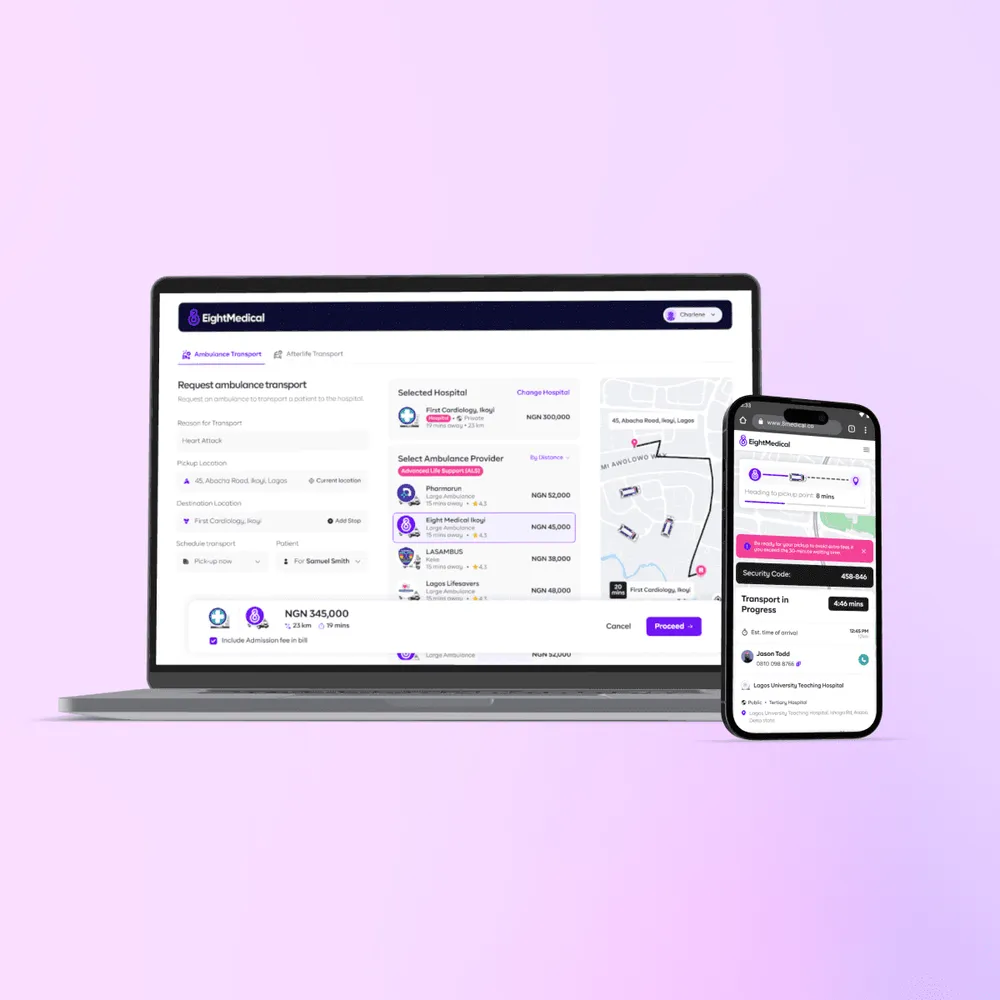
An AI-powered search, triage and transport platform connecting people in crisis to the nearest capable hospital or ambulance across Nigeria.
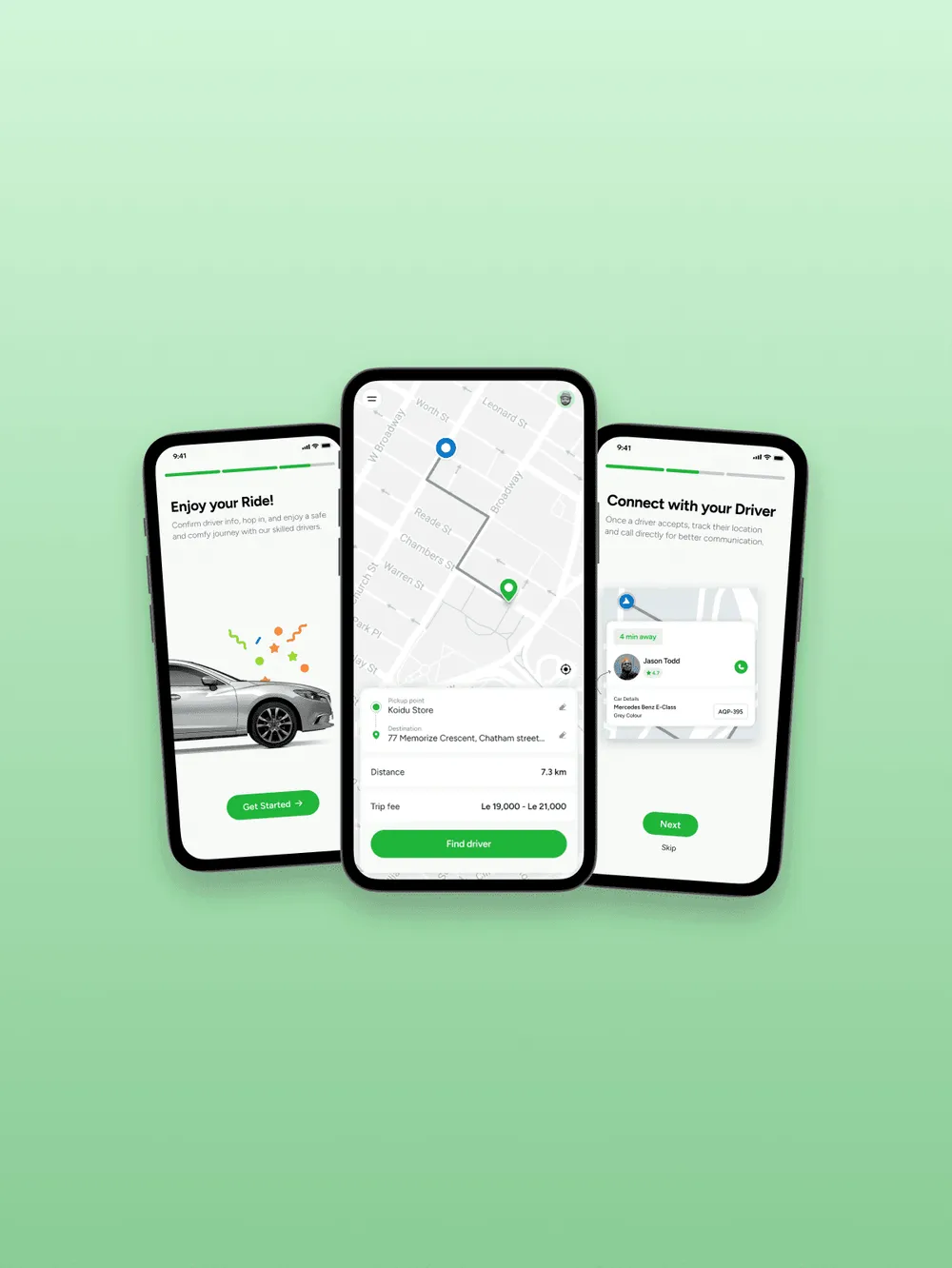
A mobile marketplace connecting riders and drivers through real-time booking and transparent pricing.